庭 means “garden”
One checklist for every plant in the house.
Did anyone water the fern? Was the monstera fertilized this month? Niwa keeps watering, fertilizing and misting on one shared list, so the whole household knows what is done and what is next.
Share plant care with your household. No account, no subscription.
Free forever on one phone. Pay once to share with your household: $9.99 on the web, or through Google Play in the Android app.
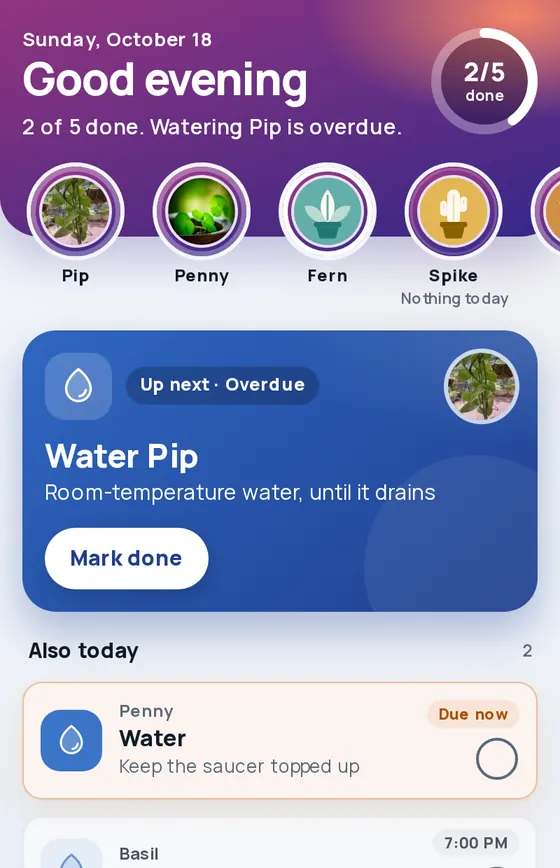
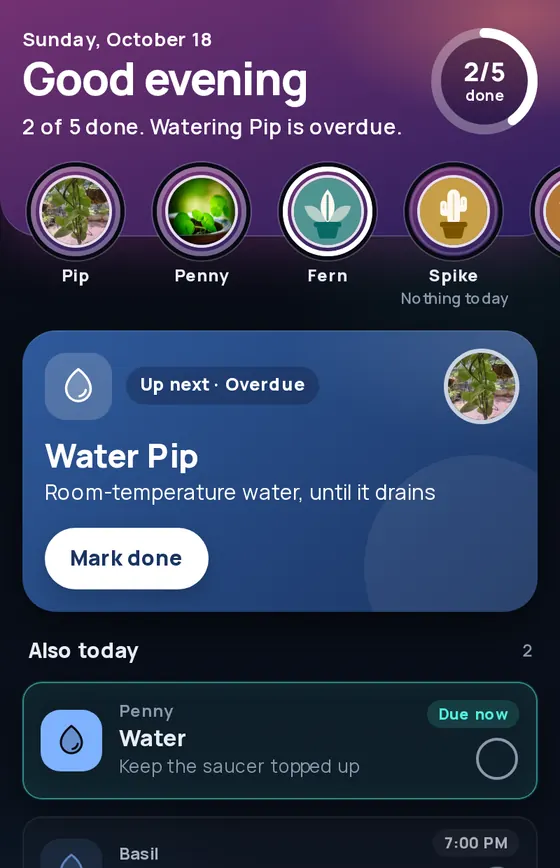
Sample data
Your plants, front and center
Their photos, what they need next, and everyone who helps look after them.
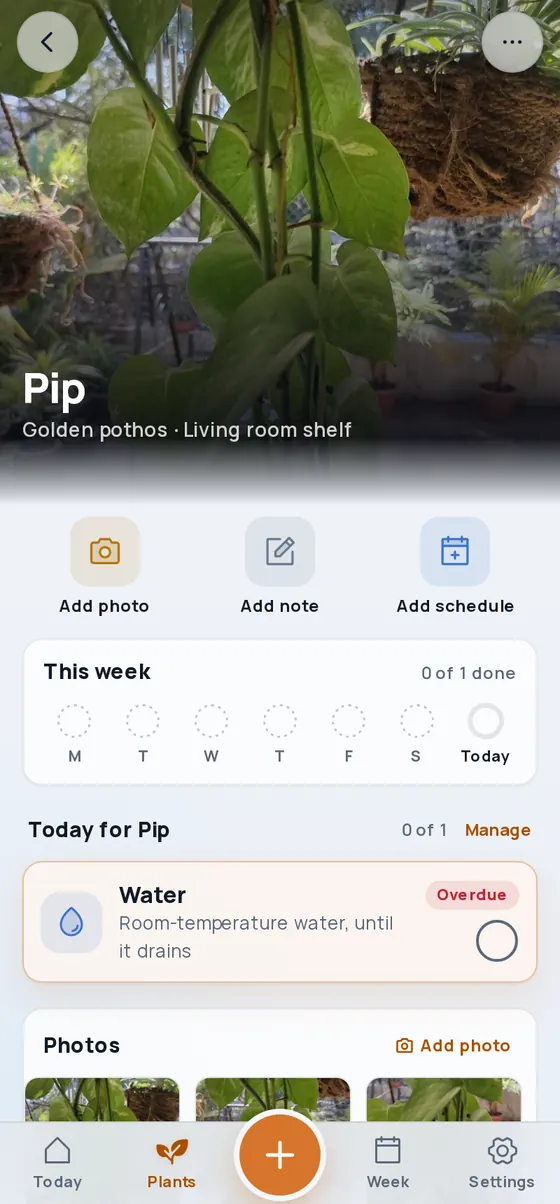
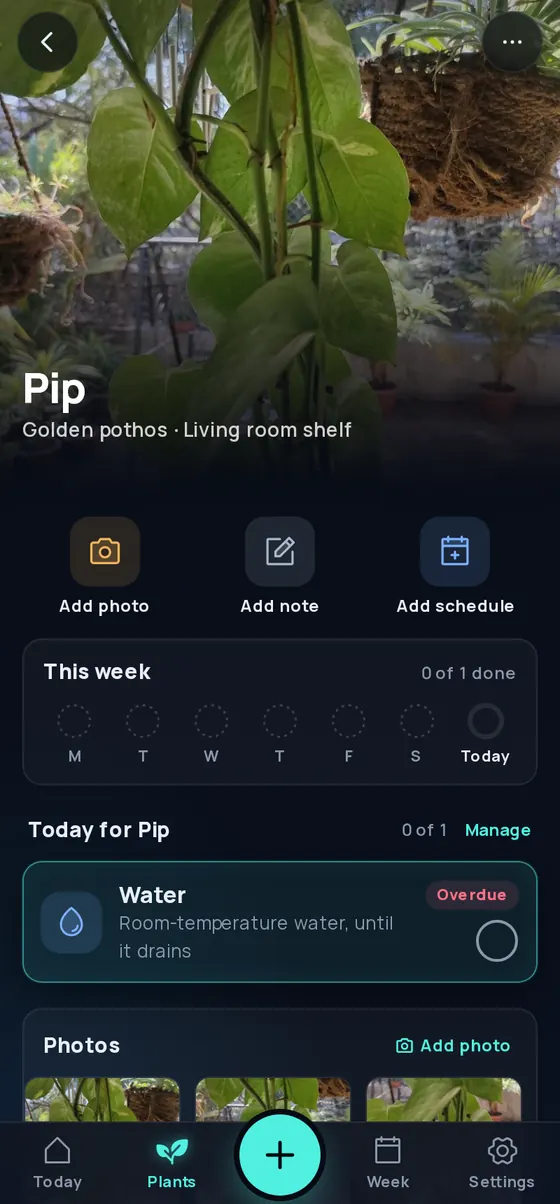
A page for every plant, photo and all
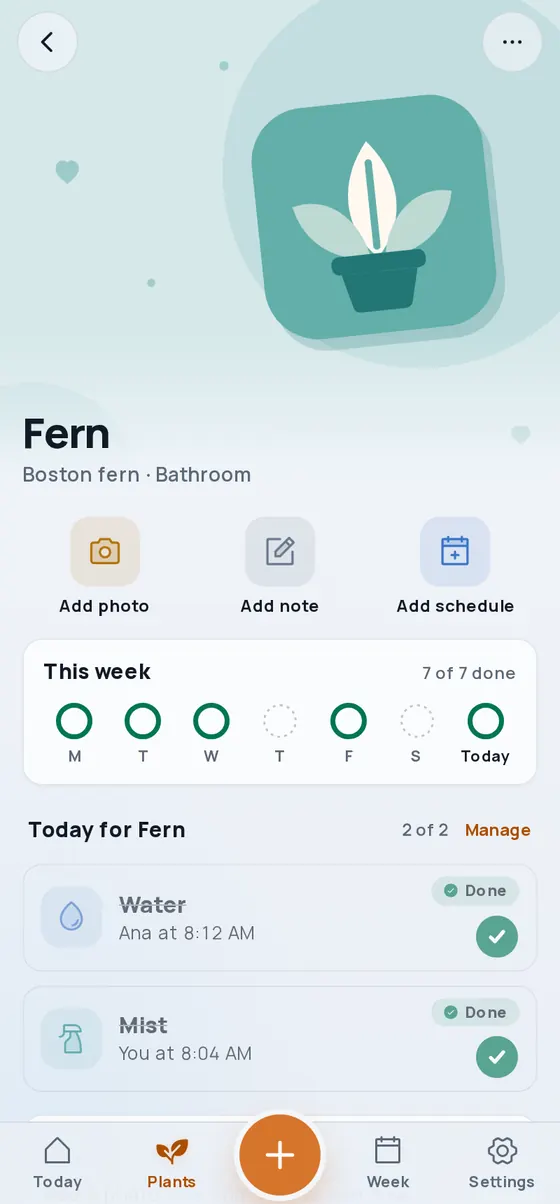
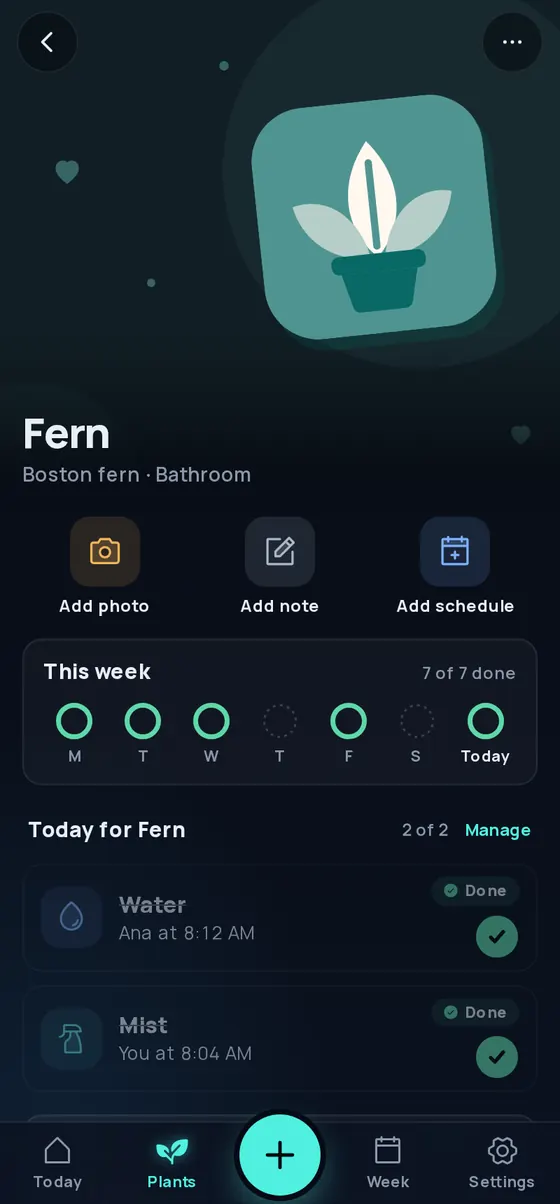
No photo yet? A drawing of its type
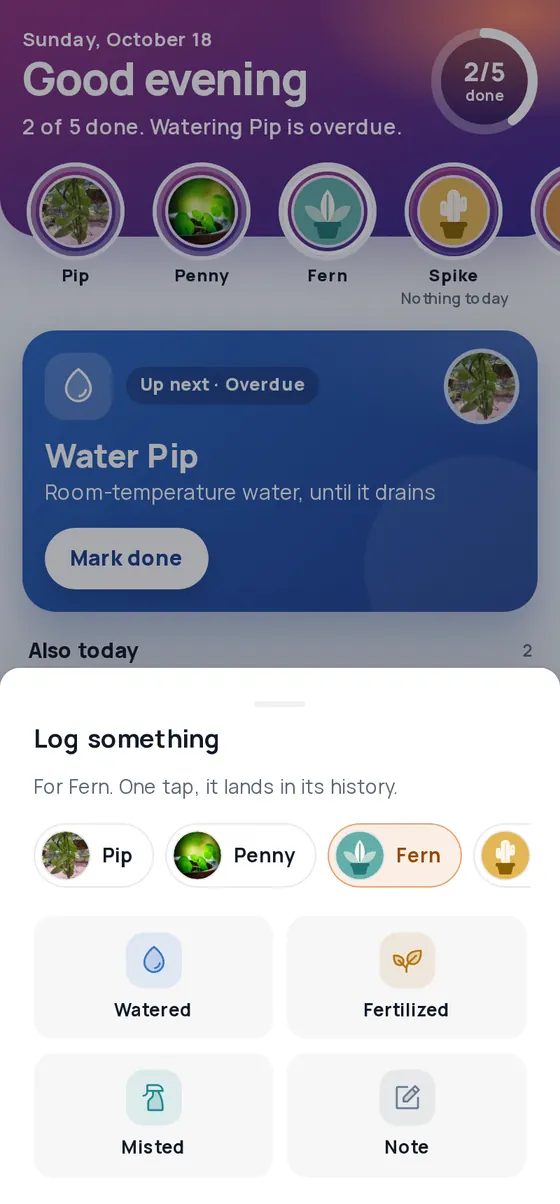
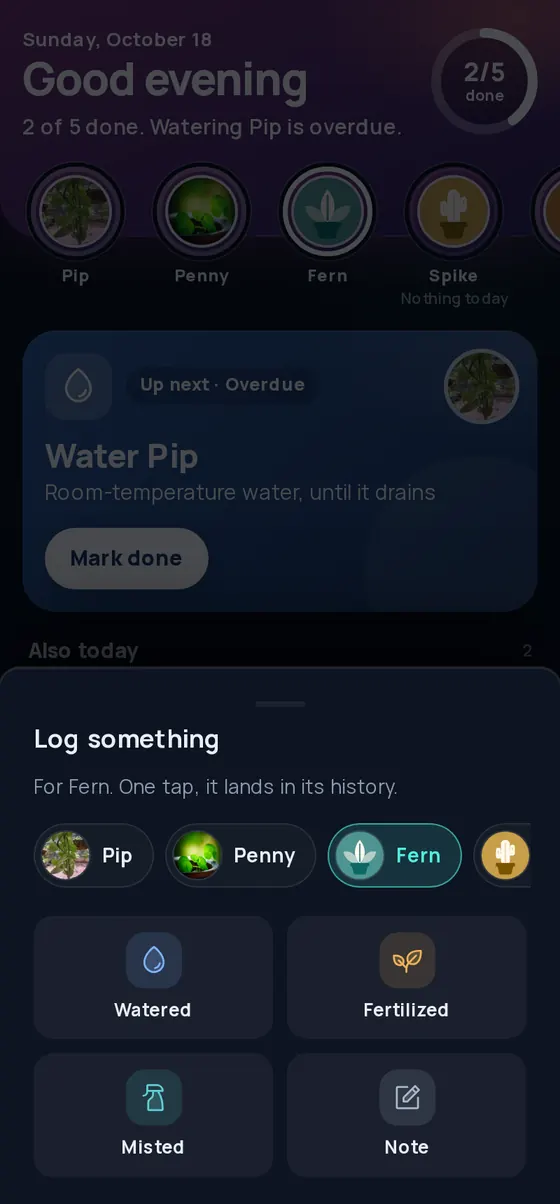
Log a watering in one tap
Screens from the app, with sample plants and people.
A shared list for the people who share the plants.
Niwa is a plant care app for households. Each watering, fertilizing, misting, turning, repotting and pruning for every plant lands on one Today list. Check things off and everyone sees who did what. Reminders nudge you on time, and photos and notes wait in one place. Niwa remembers what you decided; it never guesses what your plant is or what it has.
Made for the house with more than one waterer.
One of you waters on Sundays, another mists the ferns, someone is away for a week, and nobody is quite sure whether the calathea was watered twice or not at all. Couples, families and flatmates: put the care in one place and stop asking each other.
What it does
One shared checklist
Watering, fertilizing, misting, turning, repotting and pruning for every plant on one Today list. Tick it off and the house sees who did it.
Counts from the last time
"Every 7 days" counts from when it was last watered, so a late watering moves the next one instead of piling up. The days are yours to set.
Log something
Watered, fertilized, misted or a quick note: log it when it happens, and the matching schedule ticks itself off.
Reminders on time
Reminders that ring on time come with the Android app, which is on the way. In the browser, Today shows what is due.
Photos and notes
Photos, repotting, notes and anything you noticed, each with its date, kept with the plant.
Household sync
Pair another phone with a one-time code, free to join. New phone? Your license key or your Google Play purchase brings the household back.
Today on your home screen
An Android widget shows what is due today, light or dark to match your phone. It comes with the Android app.
Daylight and Nightlight
Two looks, bright Daylight and deep Nightlight. Follow your phone or pick one, and choose your own accent colour.
Android app on the way
The Android app, with reminders that ring on time and a home-screen widget, is being prepared for Google Play. Until then Niwa runs in the browser, and the web app installs to your home screen like an app.
The honest pitch
No account
Nothing to sign up for. No email, no password.
No subscription
Free on one phone, paid once to share ($9.99 on the web). That is the whole price.
No ads
No ads and no tracking tools in the app.
Yours
Data lives on your phone, works offline, and exports to a file you keep.
Pricing
Free
$0
Everything, with as many plants as you like, on one phone. Free forever. Joining a household is free too.
Unlock
$9.99 once, on the web
In the Android app you buy it through Google Play, in your own currency.
Share Niwa with your household. Joining is free.
- One purchase covers every phone in the household
- Web or Google Play, either one unlocks it
- One purchase, one household at a time
| What you get | Free | Unlock paid once |
|---|---|---|
| Plants | Unlimited | Unlimited |
| Today and reminders | Included | Included |
| Log something and the Week view | Included | Included |
| Photos, records and notes | Included | Included |
| Backups and CSV export | Included | Included |
| Home-screen widget (Android) | Included | Included |
| Household sharing | Join one | Start one, pair phones |
| Recovery on a new phone | Backup file | License key, Play purchase or backup |
Payments are handled by Polar on the web and by Google Play in the Android app. Niwa never sees your card.
Questions
Do I need an account?
No. Open the app and add a plant. There is no sign-in. If you pair phones, the household is joined with a short code, not an account.
Does it work without internet?
Yes. Your plants and records are stored on the phone, so Today, check-offs and reminders work in airplane mode. Synced phones catch up when they are back online.
Where is my data?
On your phone. If you turn on household sync, the household's data is also kept on Niwa's server so your phones can share it. The privacy policy says exactly what, and how to delete it.
What if I lose my phone?
If sync was on, enter your license key on the new phone and Niwa offers to restore the household. If you bought the unlock on Google Play, open Niwa on an Android phone with the same Google account and it offers the same. If sync was off, restore from a backup file you exported.
What does the unlock cost and cover?
You pay once to share with your household: $9.99 on the web, or in the Android app through Google Play, in your own currency. Either one unlocks the household. It lets you start household sync and pair every phone in the home. One person buying covers the whole household, including people who joined for free. Everything else is free on one phone, with as many plants as you like, and joining a household someone else started is free too.
Can I get a refund?
Yes, within 14 days of buying. On the web, reply to the receipt email from Polar, or write to support@i4c.studio, and the license key stops working. If you bought it in the Android app, ask Google Play from your order history, or write to us. After a refund, within a day the household stops syncing. Every phone keeps its plants and records. Unlocking it again on any phone in the household turns sharing back on.
Can one key cover two households?
No. One key unlocks one household at a time, so a separate household of your own needs its own key, even if you joined someone else's for free. If you start a new household with a key that already unlocks another one, Niwa asks first. The old household keeps syncing, but it can no longer add phones or be restored with that key. A key can move like this once a month. If you think someone outside your household knows your key, pause recovery in Settings, Household.
Can Niwa tell me what plant I have, or what is wrong with it?
No. Niwa does not identify plants from photos, does not diagnose problems and does not suggest treatments. Schedules, notes, tags and issue records are whatever your household writes down. The watering interval it suggests for a new plant is a plain starting number, the same for every plant, and yours to change.
Where can I get the Android app?
It is on the way: the Android app is being prepared for Google Play. Until then the web app works in any browser and can be added to your home screen like an app. Reminders that ring on time and the widget will come with the Android app.
Still wondering? Write to support@i4c.studio.